How to turn audio files into videos for YouTube and Instagram
YouTube, Instagram Reels and TikTok don't accept an MP3 — every platform wants a video file, even when the content is really just sound: music, meditations, podcast episodes, affirmations, ambient loops. So the job is always the same: wrap each audio file in something visual and export an MP4. Here's how people actually do it on a Mac.
The quick ffmpeg route: audio + a still image
The classic free approach is ffmpeg (brew install ffmpeg). Take one cover image and one track:
ffmpeg -loop 1 -i cover.jpg -i track.mp3 \
  -c:v h264_videotoolbox -tune stillimage -c:a aac -b:a 192k \
  -pix_fmt yuv420p -shortest -vf "scale=1920:1080" video.mp4
That gives you a YouTube-ready 1080p video that lasts exactly as long as the track. For Reels or Shorts, change the scale to 1080:1920 and use a portrait image. It's free and reliable — but the result is a static slide. Viewers can't tell it's playing until they hear it, and retention on a frozen frame is rough.
Adding motion: ffmpeg waveform visualizers
ffmpeg can also draw the audio as a moving visual with filters like showwaves or showcqt:
ffmpeg -i track.mp3 -filter_complex \
  "[0:a]showwaves=s=1920x300:mode=cline:colors=Orange[wave]; \
   color=c=0x101014:s=1920x1080[bg];[bg][wave]overlay=0:700" \
  -c:a aac -shortest video.mp4
Now the video moves with the music, which genuinely helps. The honest downsides: getting the waveform, a background, a title and a logo layered together turns into a long filter_complex string that takes real trial and error, and you still need a loop script (and per-format variants) to process a whole library.
iMovie: fine for one-offs
You can drop a photo into iMovie, extend its duration, add your audio underneath, add a title, and export. Free, no Terminal. But it's one project per track, there's no waveform, and there's no batch export — 30 tracks means 30 rounds of the same clicks.
The batch route: BrandCast
BrandCast is a Mac app built for exactly this job at library scale. Drag a folder of MP3s, WAVs, M4As or FLACs onto the window and it renders each one into a finished video: generated background, a live waveform driven by the actual audio, the filename as the on-screen title, and your logo and QR code on top. Tick both format boxes and every track comes out as a 16:9 video for YouTube and a 9:16 version for Reels, Shorts and TikTok in the same pass.
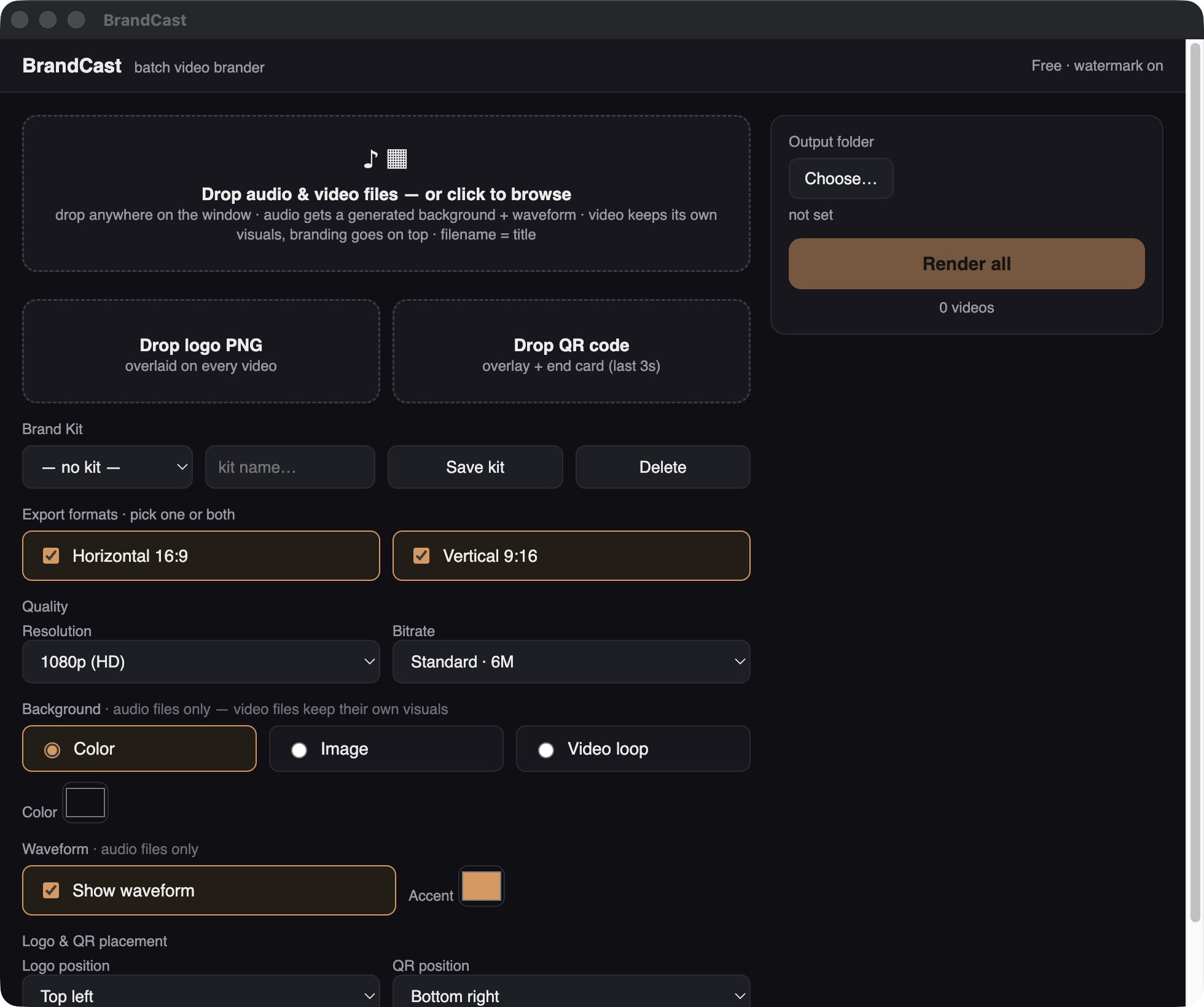
It renders locally on your own Mac — nothing is uploaded and there are no render credits. The free version is fully functional with a small watermark; a $79 one-time license removes it. If you have three tracks, the ffmpeg still-image command above is all you need. If you have a hundred, this is the difference between an afternoon and a click.
Turn your whole audio library into videos
Free download, unlimited renders, horizontal + vertical at once.
Download BrandCast free