How to add a logo to many videos at once on Mac
If you post regularly — a music library, a podcast back-catalogue, client deliverables — you eventually hit the same wall: you have 50 or 200 finished videos and every single one needs your logo in the corner. Doing that by hand is the kind of job that eats a weekend. Here are the three realistic ways to do it on a Mac, honestly compared.
Option 1: iMovie (fine for a handful, painful in bulk)
iMovie is free and already on your Mac, and it can overlay a logo: import a video, drag your logo PNG onto the timeline above it, set the overlay to Picture-in-Picture, position it, then export. It works and the quality is good.
The problem is that there is no batch mode. Every video means a new project, a new drag, a new export dialog. At two to three minutes of clicking per video, 100 videos is a full day of repetitive work — and it's easy to end up with the logo a few pixels off between videos, which looks sloppy in a feed.
Option 2: ffmpeg (free, scriptable, genuinely powerful)
If you're comfortable in Terminal, ffmpeg is the honest power-user answer. Install it with Homebrew (brew install ffmpeg), then overlay a logo on one file like this:
ffmpeg -i input.mp4 -i logo.png \
  -filter_complex "[1]scale=180:-1[lg];[0][lg]overlay=W-w-40:40" \
  -c:a copy output.mp4
That scales the logo to 180px wide and pins it 40px from the top-right corner. To run it over a whole folder, wrap it in a loop:
mkdir -p branded
for f in *.mp4; do
  ffmpeg -i "$f" -i logo.png \
    -filter_complex "[1]scale=180:-1[lg];[0][lg]overlay=W-w-40:40" \
    -c:a copy "branded/$f"
done
This genuinely works and costs nothing. The trade-offs: you need to be comfortable with the command line; mixed resolutions need extra logic (a logo sized for 1080p looks tiny on 4K and huge on a vertical 9:16 video); and every re-encode choice — codec, bitrate, hardware acceleration — is yours to research and get right. Budget an evening the first time.
Option 3: BrandCast (drag the folder, done)
BrandCast is a Mac app we built after doing exactly this job with ffmpeg scripts for a real music brand, over a thousand videos in. You drop a folder of video (or audio) files onto the window, drop your logo once, pick its corner and size, and hit Render All. It handles the scaling per format automatically, keeps placement identical across every file, and renders both 16:9 and 9:16 versions in the same pass if you want them.
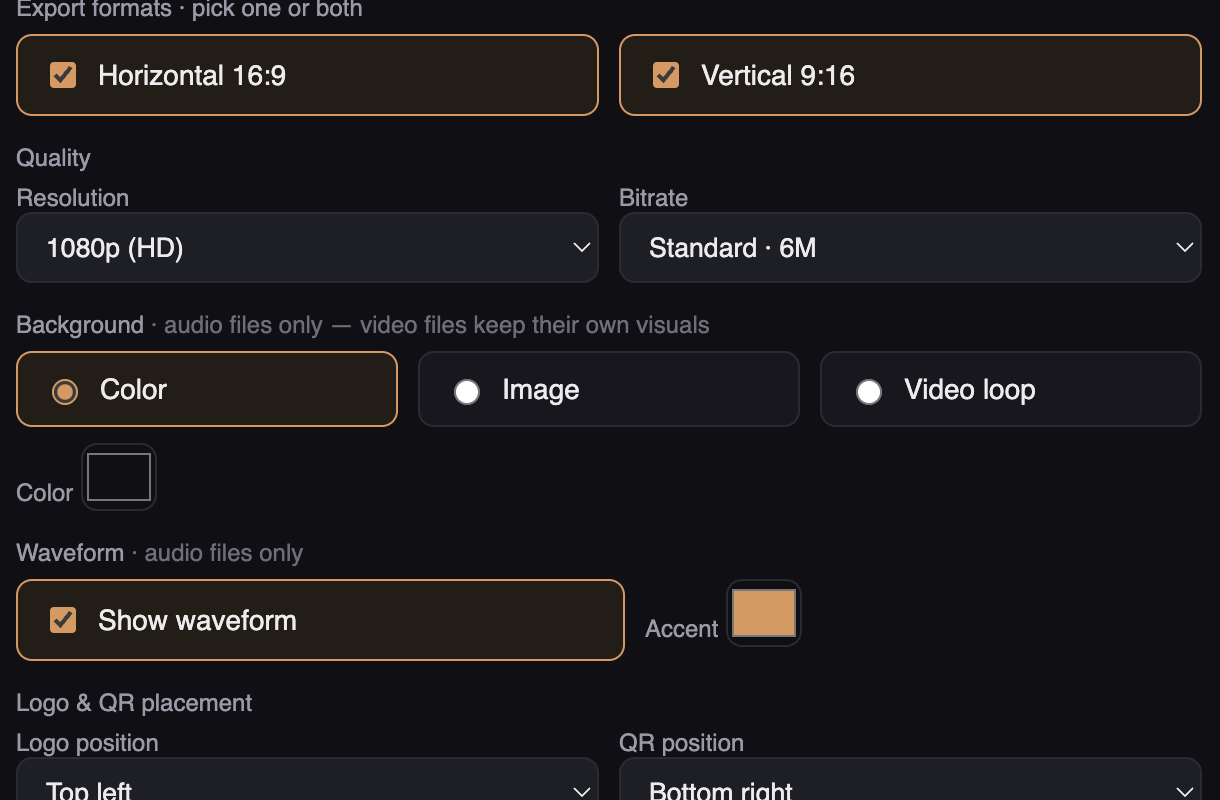
Everything renders locally on your Mac — no uploads, no cloud queue, no per-video pricing. The free version is fully functional with a small watermark; a one-time $79 license removes it. If your batch is three videos, use iMovie. If you enjoy scripting, ffmpeg is great. If you have a library and a life, this is the shortcut.
Brand a whole folder in one drag
Free download, fully functional, renders on your own Mac.
Download BrandCast free