Drag-and-drop batch
Drop one file or a hundred. Audio gets a generated background and waveform; video keeps its own visuals with your branding on top.
Drop in your tracks, your logo and a QR code. BrandCast renders every file into a polished horizontal and vertical video — live waveform, the filename as the on-screen title, your branding on top. Whole library, one click.
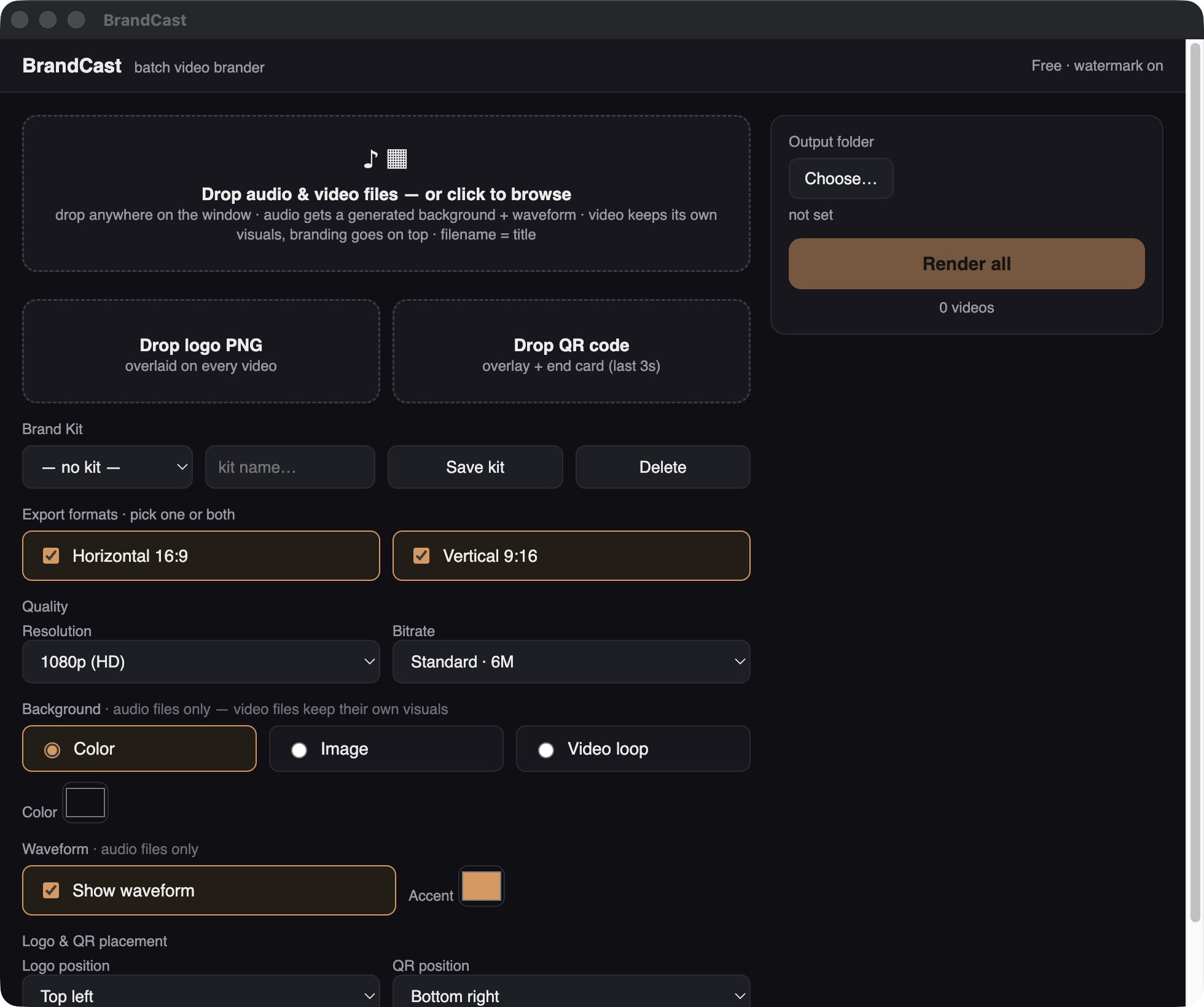
A real render from BrandCast — logo, QR card, waveform and filename title, straight out of the app.
No timeline, no keyframes, no per-file fiddling. Set your brand once and BrandCast applies it to everything you drop in.
Drag a whole folder of audio or video anywhere on the window. Each filename automatically becomes the on-screen title — no typing, no spreadsheets.
Logo, QR code, colors, background and waveform style. Save it as a Brand Kit and every future batch matches instantly.
Horizontal 16:9 and vertical 9:16 in the same pass, at the resolution and bitrate you choose. Come back to a folder of post-ready videos.
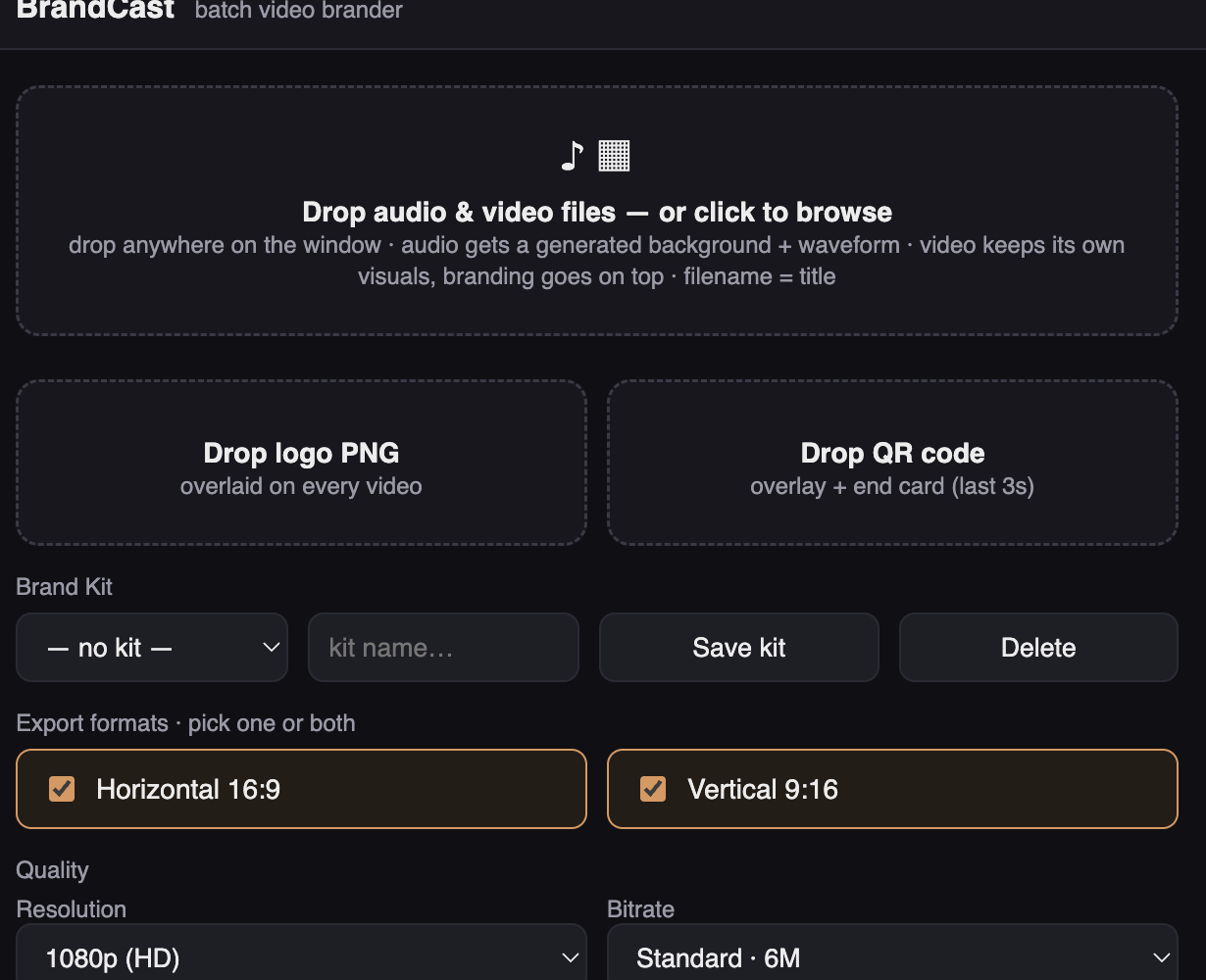
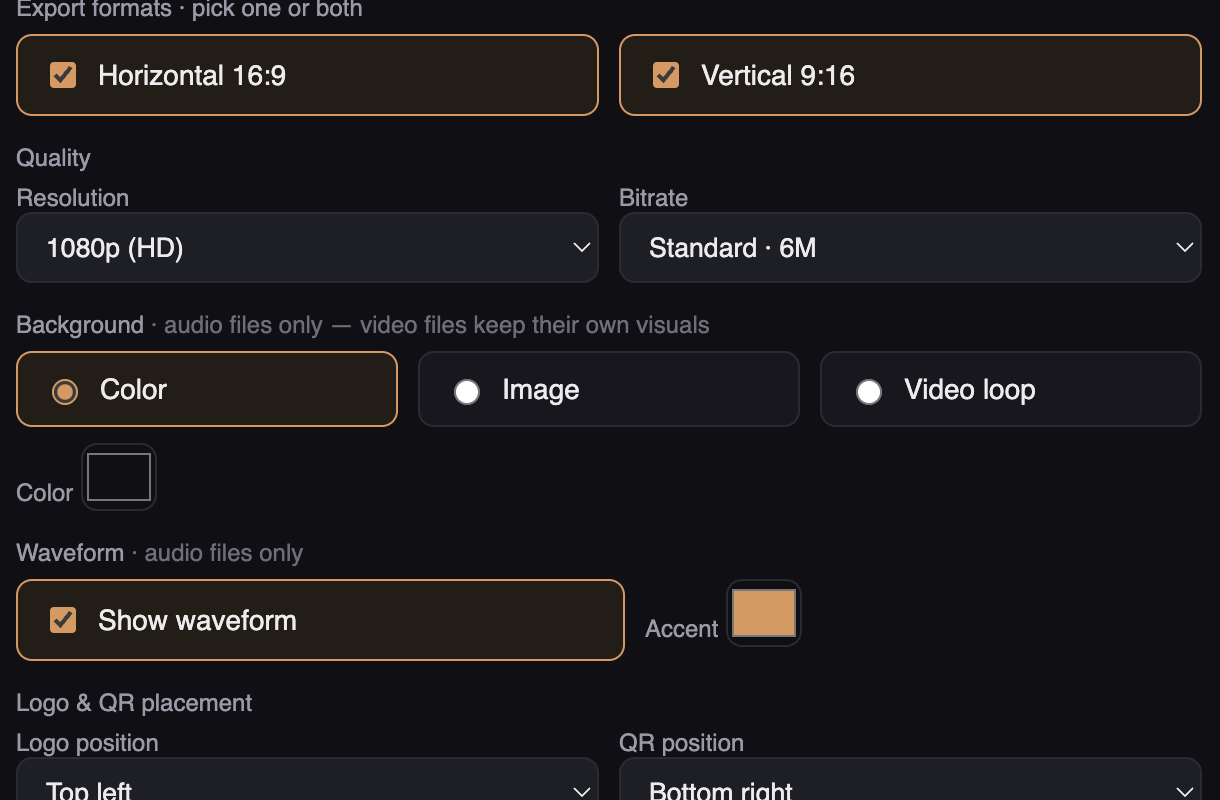
Everything here exists because bulk posting breaks the usual tools.
Drop one file or a hundred. Audio gets a generated background and waveform; video keeps its own visuals with your branding on top.
The bars are generated from the actual audio, so every video moves with the music instead of looping a stock animation.
Your logo overlaid on every video, and your QR code both as an overlay and a full end card on the last three seconds.
Name the file well and the on-screen title writes itself. Renaming 200 tracks beats typing 200 titles.
16:9 for YouTube and 9:16 for Reels, TikTok and Shorts — tick both and one render produces both files per track.
Save a whole configuration — logo, QR, colors, placement, formats — as a named kit and switch brands in one click.
Pick the resolution and bitrate per batch — quick drafts for previews, high-bitrate 1080p when it's going live.
The render engine is bundled inside the app and runs entirely on your own machine. No uploads, no cloud queue, no render credits — it works with Wi-Fi off.
No subscription, no render credits, no per-video pricing.
Every feature, unlimited renders
Same app, clean exports
Right now BrandCast ships for macOS (Apple Silicon). A Windows build is planned — if you want it, say so through the store page and it moves up the list.
You get a signed offline key. Paste it into the app once and it verifies locally — no account, no activation server, no internet required. It keeps working on a plane, forever.
No. The render engine is bundled inside the app and runs entirely on your own computer. Nothing is uploaded, ever.
Only the watermark. The free version has every feature and unlimited renders with a small BrandCast watermark; the license unlocks clean exports.
Drop it in the same way. BrandCast keeps your footage and adds the branding layer — logo, QR, title — on top.
Try the free version first — it's the full app, so you know exactly what you're buying. If a license genuinely doesn't work for you, reply to your purchase receipt within 14 days and it'll be sorted out.
Download BrandCast free, render as much as you like, and buy a license only when you want the watermark gone.
macOS (Apple Silicon) · free version is fully functional · no account required