Batch watermark videos on a Mac: three ways that actually work
A watermark — usually a semi-transparent logo in a corner — is how your videos stay yours when they get re-shared, clipped, or scraped. Watermarking one video is trivial. Watermarking two hundred, identically, without spending a week on it, is the actual problem. Here's what works on macOS, from free to fastest.
iMovie and Final Cut: not built for bulk
Both can overlay a transparent PNG on a video — in iMovie it's a Picture-in-Picture overlay, in Final Cut it's a connected clip with opacity turned down. The output looks great. But neither has a true batch mode: each video is its own project and its own export. Final Cut's batch sharing helps at the export step, not the editing step — you still place the watermark by hand in every project. For five videos, fine. For a library, no.
ffmpeg: the free, scriptable answer
Install ffmpeg with brew install ffmpeg. Start with a PNG that already has transparency baked in (export your logo at ~40–60% opacity from any editor), then:
ffmpeg -i input.mp4 -i watermark.png \
  -filter_complex "[1]scale=iw*0.14:-1[wm];[0][wm]overlay=W-w-30:H-h-30" \
  -c:v h264_videotoolbox -b:v 8M -c:a copy output.mp4
Notes on what's actually going on there:
scale=iw*0.14sizes the mark relative to the watermark's own width — swap in a fixed pixel width if your sources are all the same resolution.overlay=W-w-30:H-h-30pins it 30px from the bottom-right; use30:30for top-left.h264_videotoolboxuses Apple's hardware encoder — on Apple Silicon it's several times faster than software x264, at slightly lower quality per bit. Uselibx264 -crf 18if quality matters more than speed.
Batch it over a folder:
mkdir -p marked
for f in *.mp4; do
  ffmpeg -n -i "$f" -i watermark.png \
    -filter_complex "[1]scale=iw*0.14:-1[wm];[0][wm]overlay=W-w-30:H-h-30" \
    -c:v h264_videotoolbox -b:v 8M -c:a copy "marked/$f"
done
This is genuinely a good solution if you're comfortable in Terminal. Where it gets fiddly: folders that mix vertical and horizontal videos need per-orientation logic, one bad filename can stop the loop, and every future batch means finding the script and remembering how it worked.
BrandCast: the same job as an app
BrandCast started life as exactly these ffmpeg scripts, run over a thousand-plus videos for a real music brand, then got a proper Mac interface. You drag the folder in, drop your logo once, choose corner, size and opacity, and hit Render All. It scales the mark correctly for 16:9 and 9:16 automatically, keeps placement pixel-identical across the whole batch, and can add a QR code and title while it's at it.
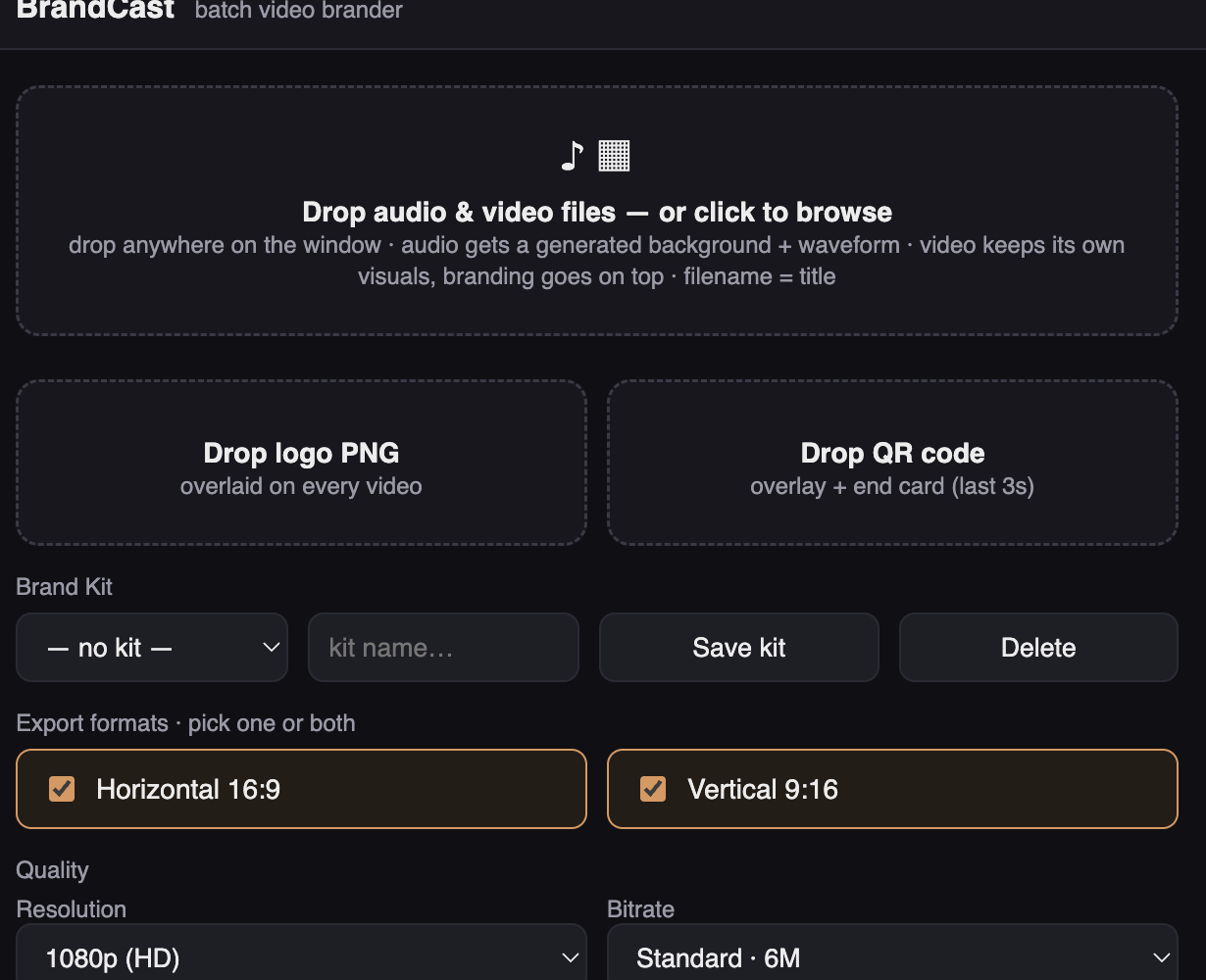
All rendering happens locally on your Mac — no uploads, no queue, no per-video fees. The free version is fully functional (it adds a small BrandCast watermark of its own); a one-time $79 license gives you clean exports with only your mark. Pick your poison: clicks in iMovie, a script you own, or a drag-and-drop that remembers your brand.
Watermark a whole folder in one pass
Free download, renders on your own machine, no subscription.
Download BrandCast free